Features Labels Pricing Support About Contact
Home Features Asset Management

Complete Asset
Lifecycle Management

Track every vehicle, machine, tool, and piece of equipment from registration to retirement. AI-powered onboarding, QR code scanning, GPS tracking, and comprehensive audit trails — all in one platform.

9
Detail Tabs per Asset
3
Registration Methods
50+
Photos per Asset
Custom Data Fields
Asset Registration

Three Ways to Add Assets

Whether you're in the office, in the field with a tablet, or integrating via API — AXITRAQ makes asset registration fast and accurate.

1

Web Dashboard

Full form with every field: asset code, manufacturer, model, serial number, year, category, status, purchase details, GPS coordinates, and custom data fields.

2

iPad Audit App with AI

A guided wizard captures photos, runs AI analysis to identify equipment, and uses OCR to read compliance plates — auto-populating manufacturer, model, serial, year, and more.

3

REST API

Programmatic asset creation via the versioned REST API. Full field support with JSON payloads, API key authentication, and rate limiting.

AI-Powered Onboarding

Point. Capture. Done.

The iPad Audit App uses Claude Vision AI to identify equipment type, make, and model from a single photo. Tap a compliance plate or registration label and OCR extraction reads every detail automatically.

  • Capture up to 50 photos per asset during onboarding
  • Auto Detect mode identifies plates vs. equipment views
  • OCR reads serial numbers, weights, capacity, rego, and expiry
  • Review, edit, and add custom key-value fields
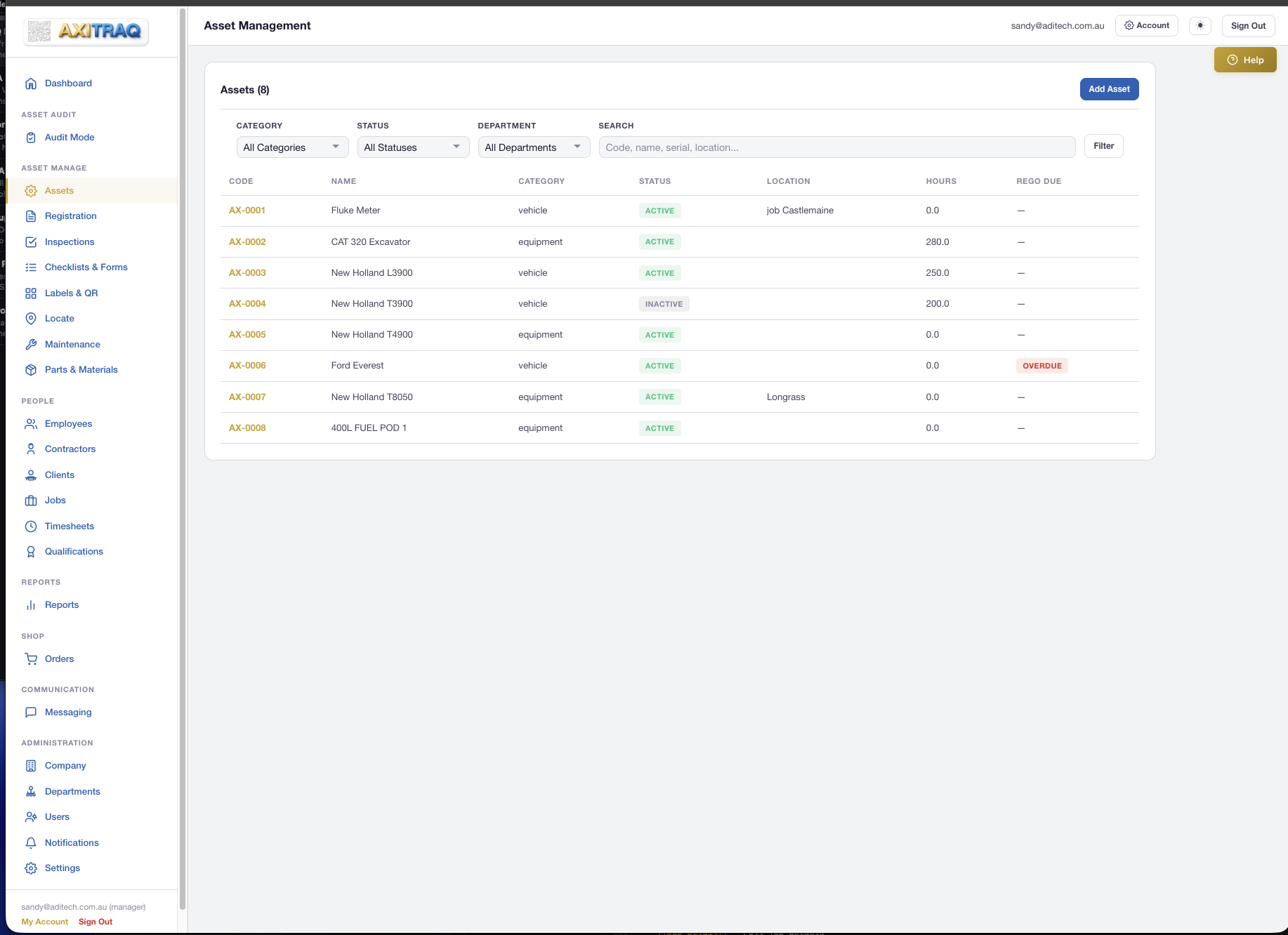
AXITRAQ Asset Register
Asset Detail Pages

Everything About Every Asset

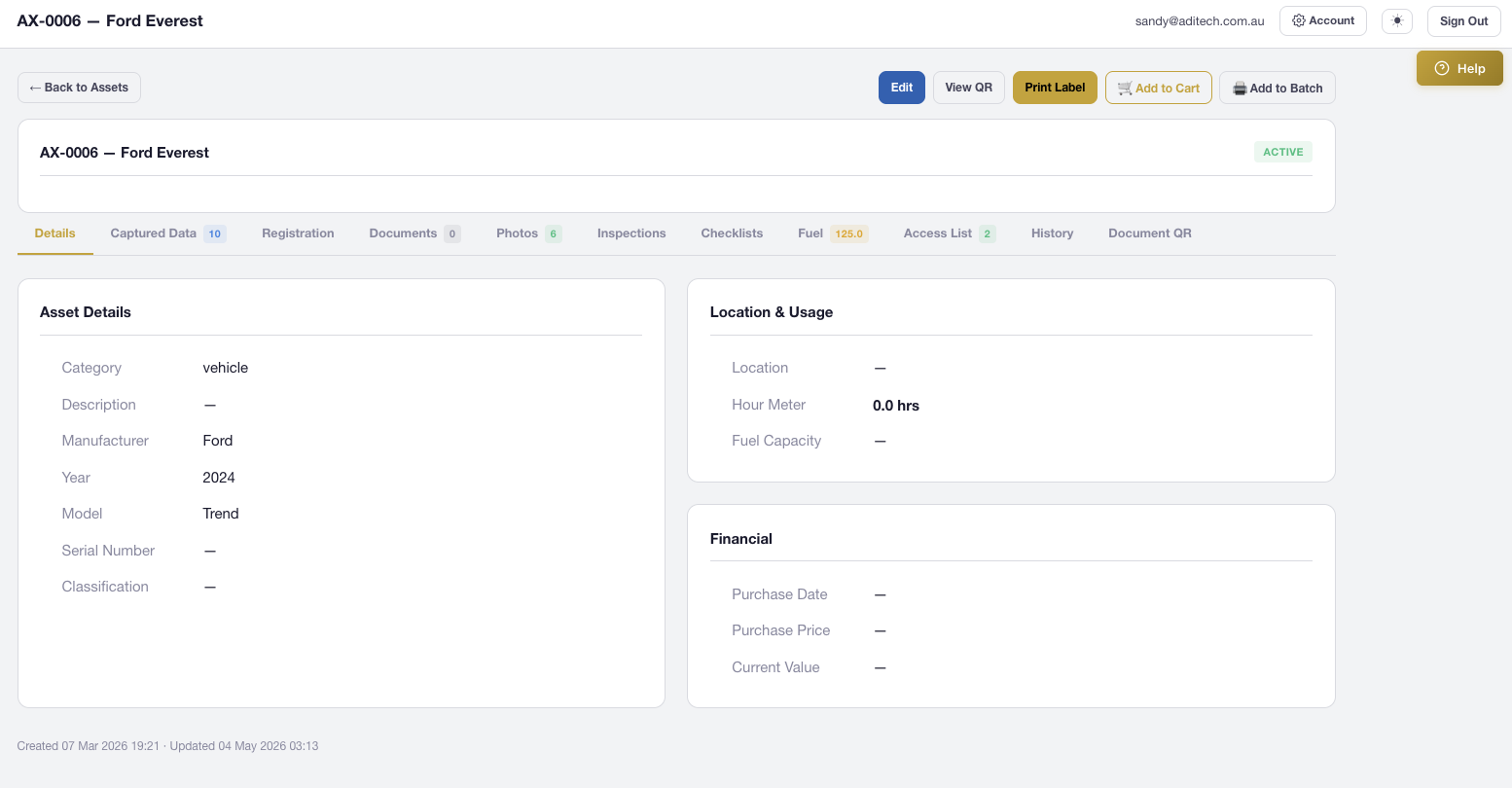
Nine dedicated tabs give you a complete digital profile for every asset. View mode for operators, Edit mode for managers — with additional tabs for fuel tracking and document QR codes.

Details

Core asset information, specifications, GPS coordinates, and custom data fields

Captured Data

AI/OCR-extracted key-value pairs from onboarding, fully editable

Registration

Registration details, expiry dates, and compliance information

Documents

Uploaded documents and form submissions linked to the asset

Photos

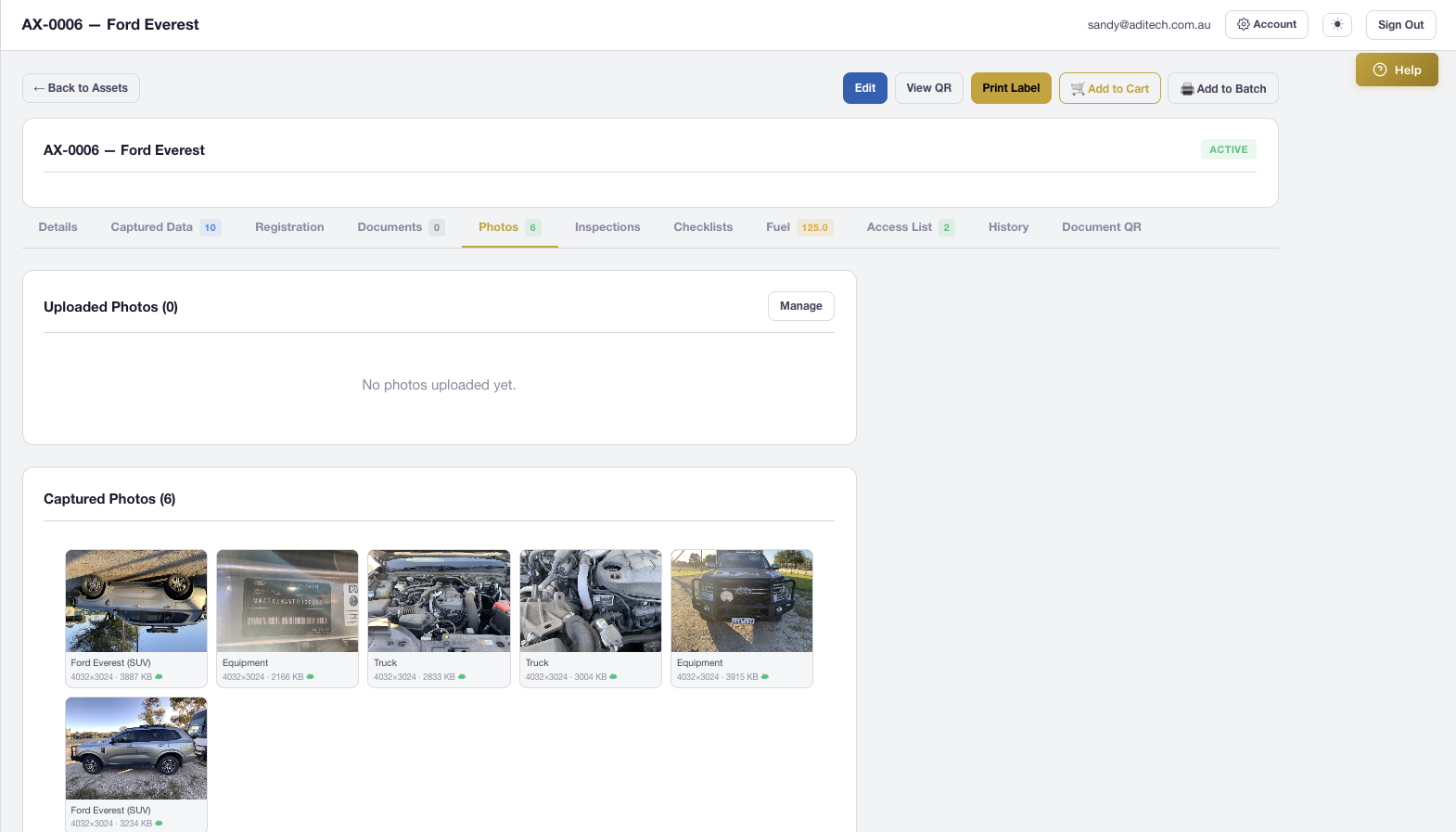
Photo gallery with lightbox viewer, metadata, and GPS map links

Inspections

Full inspection history with condition badges, checklist data, photos, and GPS

Checklists

Checklist submission history with timestamps and operator identity

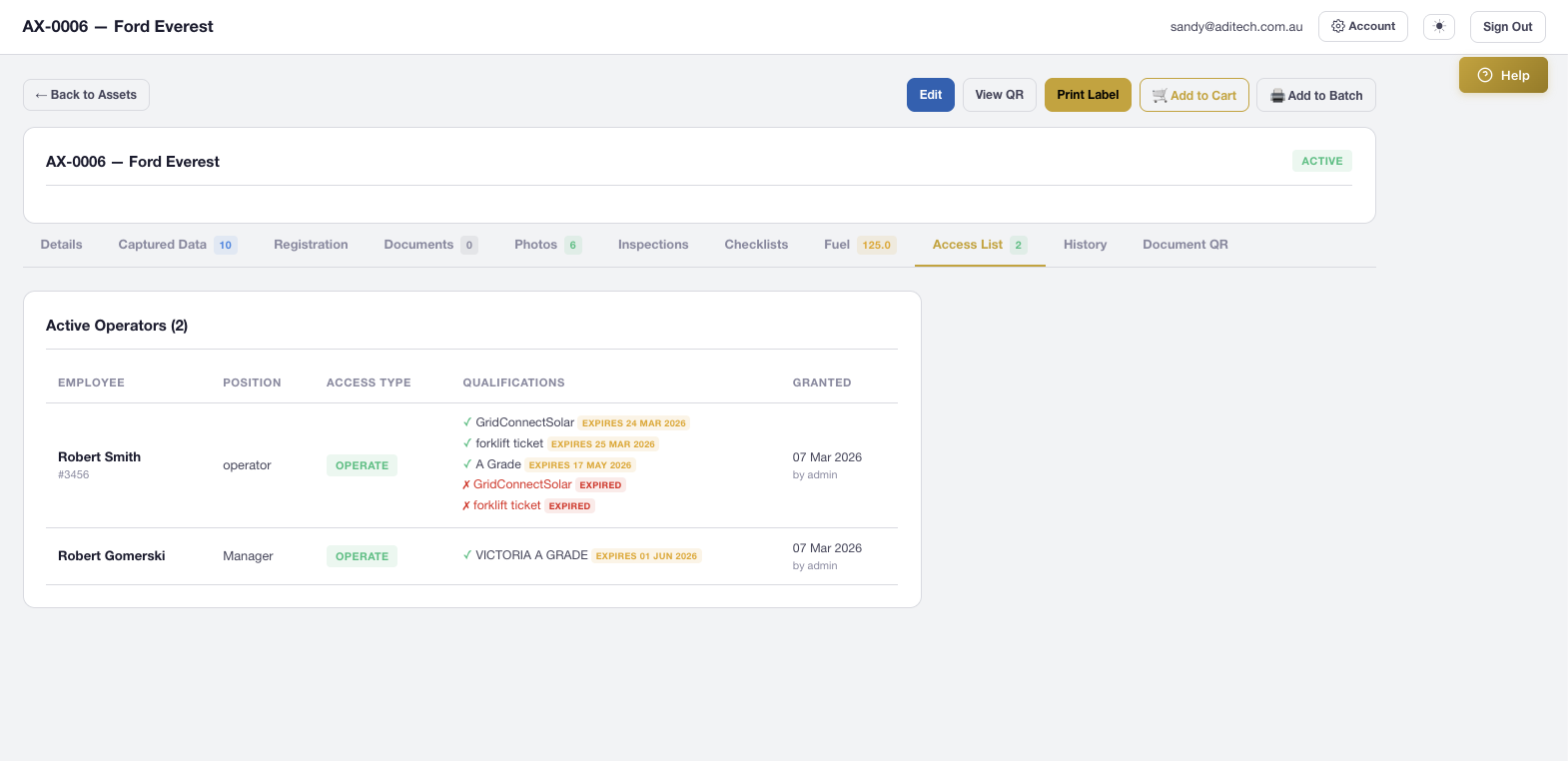
Access List

Which employees and contractors have access to this asset

Fuel & Costs

Log fuel and running costs against each asset for true cost-of-ownership tracking

History

Full audit trail, use log with start/stop sessions, and QR scan log

QR Code System

Scan to Identify. Scan to Act.

Every asset gets a unique QR code generated directly within the platform. Operators scan with the AXITRAQ app or any phone camera to instantly view details, start or stop use, trigger checklists, and record GPS locations.

  • Start Use / Stop Use tracking with GPS timestamps
  • Pre-start and post-stop checklists triggered automatically
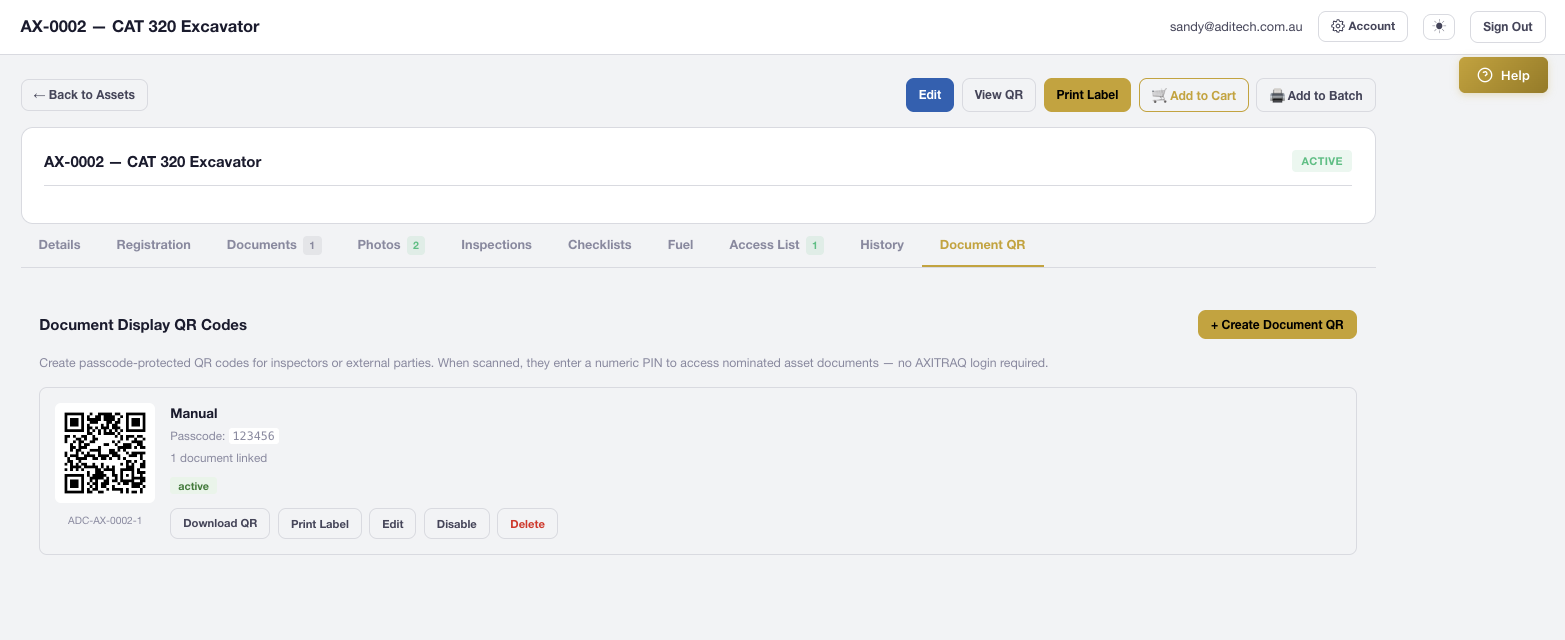
  • Document QR codes with PIN protection for external access
  • Rate-limited access with full audit logging
AXITRAQ QR Code Asset Document Access
Universal Photo Capture

Rich Photo Management with Full Metadata

Capture photos from the mobile app with embedded GPS, compass direction, altitude, and user identity watermarking. Full image editing capabilities including rotate, crop, and one-click restore to original.

  • GPS, compass bearing, altitude, and capture device metadata
  • Rotate (90° CW/CCW, 180°) and interactive crop editing
  • Automatic backup on first edit with one-click restore
  • AWS S3 storage with automatic thumbnail generation
AXITRAQ Asset Photo Management
Asset Location Tracking

Know Where Every Asset Is, Right Now

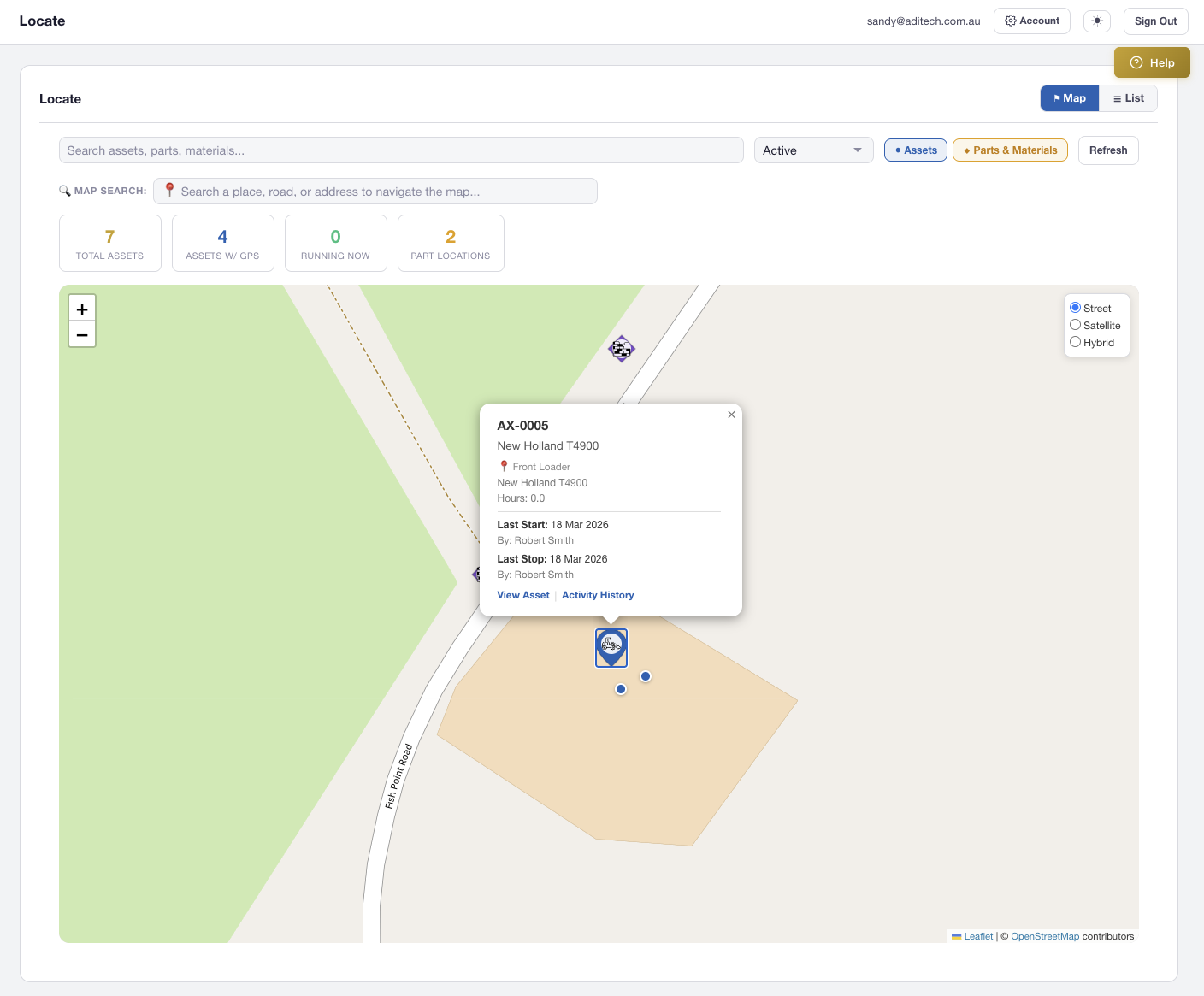
Every asset has GPS coordinates stored and displayed on the interactive Locate map with custom category icons. Locations update automatically when operators use the mobile app. Support for DMS, decimal degrees, and decimal minutes input formats.

  • Interactive map with colour-coded teardrop pins
  • Street, Satellite, and Hybrid map views
  • Automatic Unicode normalisation for Google Maps coordinates
  • 21 professional construction and equipment icons
AXITRAQ Asset Location Map
Custom Data & Integration

Flexible Data. Powerful Connections.

Every asset supports unlimited custom key-value data fields stored as JSON. AI/OCR automatically populates fields during onboarding, and you can add any custom field manually. Assets integrate seamlessly with every other module in the platform.

  • Linked to maintenance schedules, jobs, and inspections
  • Parts & materials inventory assigned to assets
  • Label printing with full data placeholder substitution
  • REST API v1 with asset list, detail, images, and inspections
AXITRAQ Asset Detail Page
Status & Compliance

Clear Status. Full Accountability.

Every asset has a configurable code with your company prefix, a category classification, and a clear status indicator. When an inspection checklist flags an issue, the asset is automatically marked Out of Service and blocked from use until resolved.

  • Auto-generated sequential codes with company prefix
  • Active, Inactive, and Out of Service status tracking
  • Configurable categories with custom map icons
  • Utilisation reports track hours, scans, and compliance
AXITRAQ Asset Access Control

Ready to Take Control of
Your Assets?

Start your 30-day free trial and see how AXITRAQ transforms the way you track, manage, and maintain every asset.